Ship unconfigured hardware directly to branch offices or remote employees. Devices automatically pull predefined cloud profiles, VPN tunnels, local routing rules, and Wi-Fi configurations upon first boot, eliminating on-site IT costs.

Cloud-based network management
Cloud-based remote device management
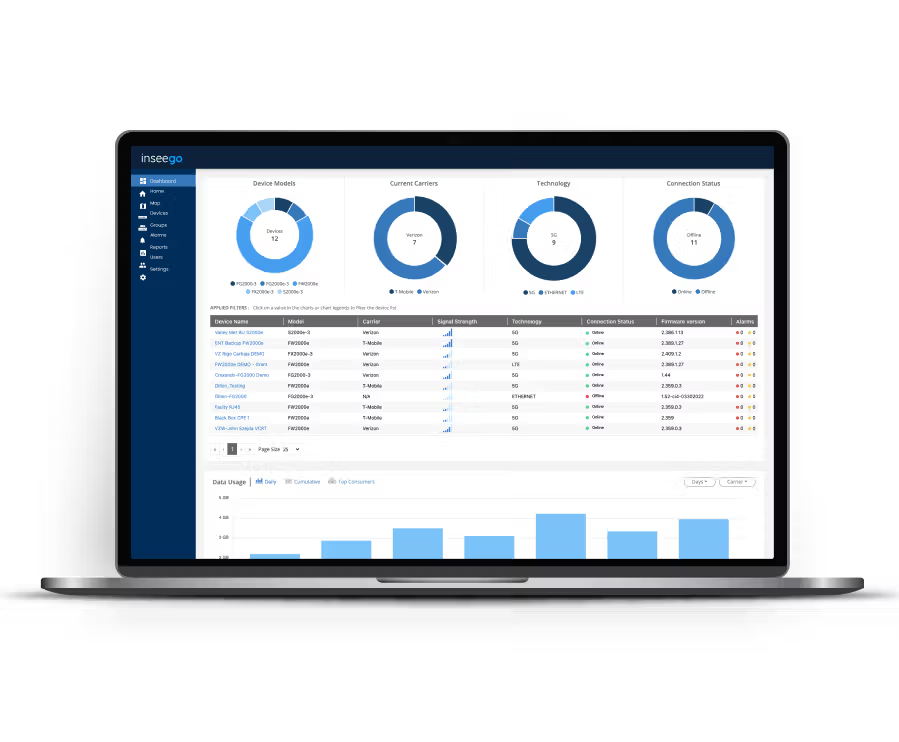
Remotely configure, monitor, view, deploy, and control your device fleet from any location
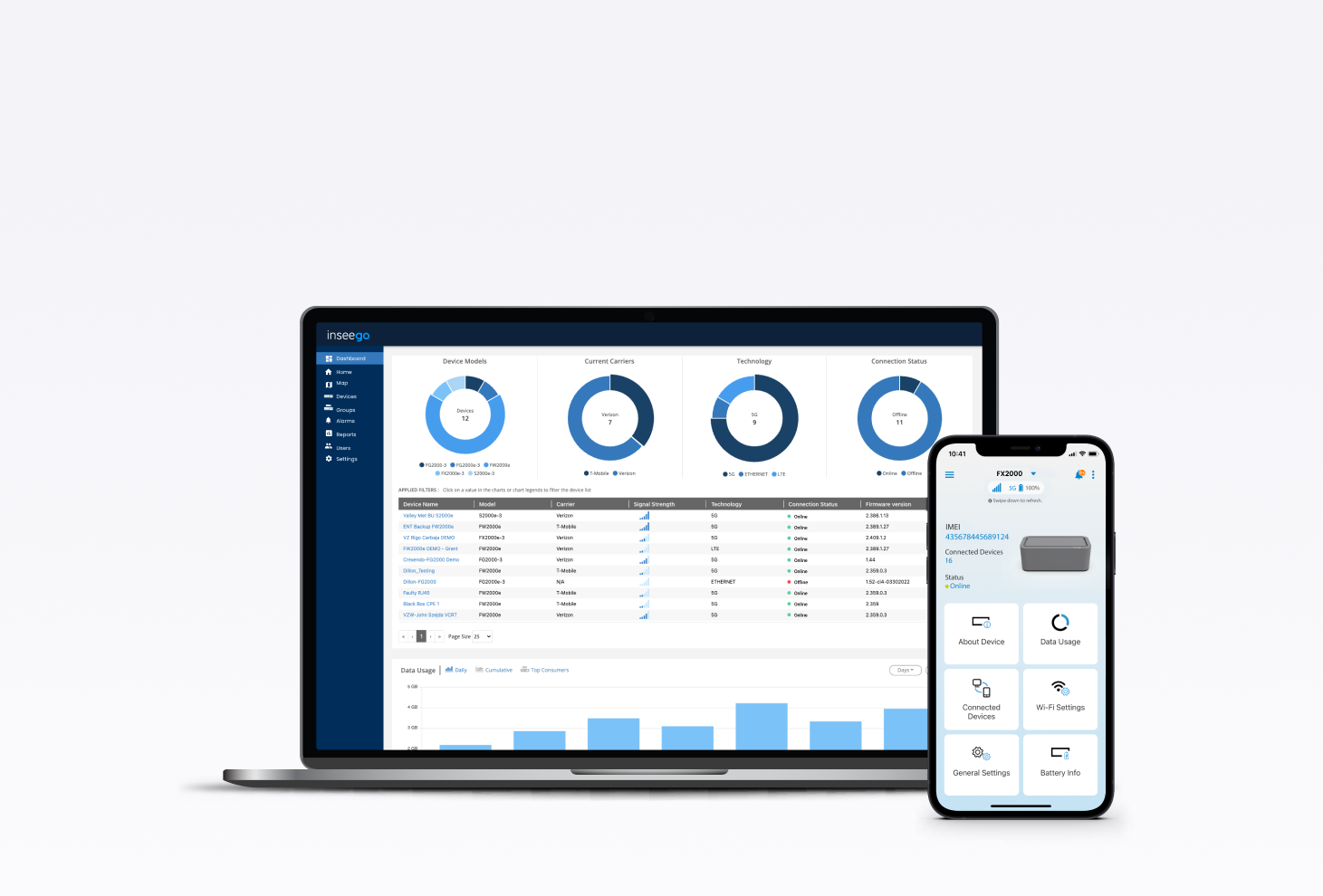

Inseego cloud-based network management software
Core capabilities found in Inseego cloud-based network management platforms
Zero-Touch Provisioning (ZTP)
Multi-location & regional network management
Structure network oversight by organization, department, or geographic region. Group endpoints into unified policy tiers to push rolling firmware updates (FOTA), push configuration templates, and enforce network policies across thousands of nodes simultaneously.
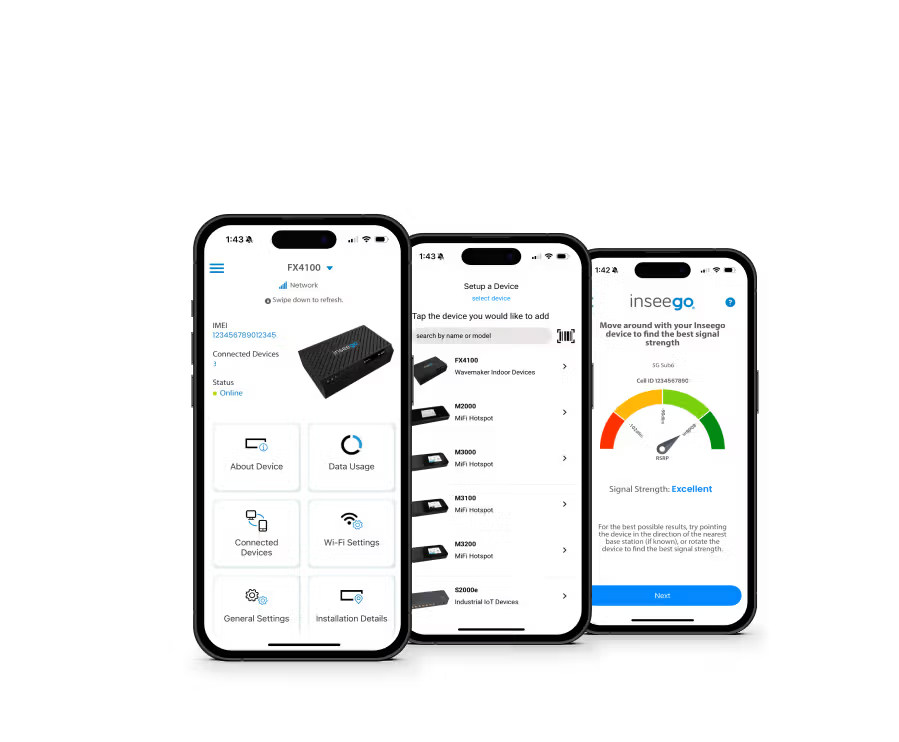
Guided installation & optimization
The Inseego Mobile app automatically pairs via QR code to guide installers toward optimal placement. Real-time RF signal metrics (RSRP, RSRQ, SINR) measure local cellular performance, ensuring maximum directional throughput for fixed wireless receivers and indoor routers.
Real-time & advanced signal analytics
Continuous cloud monitoring tracks live network health, active spectrum bands, data consumption trends, and carrier performance across SIM paths to identify signal issues before downtime occurs.
GPS tracking & asset visibility
Maintain physical oversight over traveling field routers, gateways, and mobile hotspots with integrated GPS mapping, device inventory auditing, and custom geofencing alerts.
Frequently asked questions
What is Inseego Connect, and what is its primary purpose?
Inseego Connect is a centralized, cloud-based device management platform designed to monitor, configure, and troubleshoot your entire fleet of Inseego 5G and 4G devices remotely. Its primary purpose is to dramatically simplify network operations, enabling rapid deployment and ensuring 24/7 visibility and control over geographically dispersed assets.
Learn more
How does Inseego Connect simplify device deployment?
It utilizes Zero-Touch Provisioning (ZTP). New devices can be drop-shipped to any location and, upon power-on, automatically receive all necessary configurations, security policies, and FOTA (Firmware Over-the-Air) updates from the cloud. This eliminates the need for expensive, time-consuming on-site IT visits.
Learn more
What real-time data and metrics can I monitor through the Inseego Connect dashboard?
The dashboard provides a real-time, single-pane-of-glass view of your entire inventory. Key metrics available include device health and status, data usage, signal quality (RSSI, RSRP, etc.), connection history, GPS location tracking, and the ability to perform remote speed tests for performance verification.
Learn more
Can devices be configured and updated in bulk with Inseego Connect?
Yes. Inseego Connect allows you to use configuration templates to group devices together and push widespread changes, such as security policy updates, firmware upgrades, and network parameter adjustments, across hundreds or thousands of devices simultaneously.
Learn more
What security features are integrated into Inseego Connect?
The platform supports robust security management, including: Multi-Factor Authentication (MFA) for end-user access, user permissions, remote enforcement of VPN policies (IPsec/OpenVPN), GPS-based geofencing alerts to detect unauthorized device movement, and over-the-air firmware updates to ensure devices always have the latest security patches.
Learn more
Is Inseego Connect compatible with all Inseego devices?
Inseego Connect is compatible with the majority of Inseego's latest generation of devices, including our 5G and 4G LTE IoT Gateways, Fixed Wireless Access (FWA) routers, and MiFi mobile hotspots. It is the core management solution for all business-grade Inseego products.
Learn more
Does Inseego Connect support API integration for systems automation?
Yes. Inseego Connect offers a robust and comprehensive API that allows for deep integration with virtually any external business system (e.g., billing and inventory). This capability is key to enterprise customers, as it enables system automation, allows you to pull real-time device data directly into your own applications, and helps streamline operational workflows across your organization.
Learn more
What management tasks can I perform using the Inseego Mobile App?
The app provides essential remote control and monitoring capabilities for single devices through a management console. These capabilities include these key features:
- Viewing real-time data usage (daily/monthly).
- Checking device status and signal strength.
- Controlling local Wi-Fi network settings (SSIDs, passwords).
- Performing remote reboots or factory resets to troubleshoot issues.
Learn more
How does the Inseego Mobile App streamline the installation process?
Installation is simplified through a QR code scanning feature and customized, step-by-step guidance. This feature automatically registers the device, configures the app, and walks the user through mounting and setup, significantly reducing setup time and the need for costly technician visits.
Learn more
What is Out-of-Band Management (OOBM) with Inseego Connect?
OOBM is a secure, remote management solution that uses an always-on secondary connection to let IT administrators & personnel securely monitor, troubleshoot, remote access, and adjust network devices even when the primary data connection is down, ensuring maximum uptime.
Learn more
Talk to our experts!
Set your customers or business up with the fastest, most secure, easiest, most reliable fixed wireless solutions.